
 Business Plans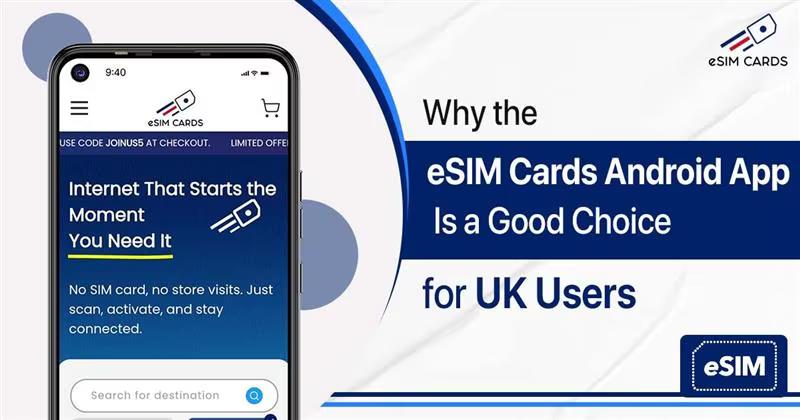
Table of contents
What is eSIM? Meet the eSIM Cards Android eSIM App Top Reasons to Use the eSIM Cards App How to Get the App via Google Play or Website Buying Now from eSIM Cards App Install the eSIM Cards Android App Today! FAQs
What is eSIM?
An eSIM is a digital replacement for a SIM card. It offers similar cellular services with better facilities to the users. Unlike a SIM card, an eSIM gets installed within a few minutes just by scanning a QR code in your device settings. It does not consume any space in your device as it is a digital profile. The best thing about eSIM is that it is a greener and more affordable option for people than a SIM card.Meet the eSIM Cards Android eSIM App
The eSIM Cards app is a mobile Android app built for international travellers. The app lets you download an eSIM instantly, choose from simple travel internet plans, and start using mobile data without any physical SIM card. It even provides local UK eSIM plans with robust coverage, ensuring you get high-speed internet on the go. In other words, when you download the app, you can shop for UK data plans on your phone. Inside the app, you’ll find a range of eSIM packages: data-only plans, calling/data combos, prepaid packages, and longer-term mobile plans. The app’s key features include instant eSIM downloads, easy one-scan activation, high-speed data, and round-the-clock support. Because it’s cloud-based, all plans are delivered digitally, and there’s no waiting for a SIM card to arrive. You also get transparency (no hidden fees) and global coverage.Top Reasons to Use the eSIM Cards App
If you're comparing different connectivity options for your trip, like an O2 eSIM UK plan, it's worth looking at what each provider offers. Here are some reasons to install the eSIM Cards app:- Instant Connectivity: Download and activate your Android eSIM app in minutes, no shop visits or paperwork. The app lets you choose a plan and install the eSIM with one tap.
- Unlimited Data, Calls & Texts: Choose from a wide range of plans that come with unlimited data options with calls and text on select plans. You can browse and stream without worrying about data usage.
- Access to Leading UK Networks: We partner with local major networks in the UK, such as EE, O2, and Vodafone, to give you a seamless travel experience.
- Easy eSIM Management: Browse plans, purchase, activate, and manage your eSIM directly from the app with a simple, user-friendly interface.
- Global Connectivity: Travelling beyond the UK? You can use the app to access eSIM plans for over 190 destinations to stay connected worldwide.
- User-friendly: The interface and the whole eSIM installation process of the eSIM Cards app are very easy. You can simply install an eSIM within a few minutes.
How to Install the Google Play Store App
Installing the Google Play Store app for eSIM Cards is free and very easy with just a few steps:- From Google Play Store: On your Android phone, open the Google Play Store app (Google Play Store). In the search bar, type “eSIM Cards” and look for the app by PENTAGRAM SYSTEMS. Tap Install to download the Android app.
- From the Website: Alternatively, visit the eSIM Cards website on your computer or phone. Look for a “Download” link or Google Play badge. Once you click that, you just have to log in to your Google account and install the app on your device.
- Open the App: Once you have install Play Store app for eSIM Cards you have to open it. You should see the main screen with plan options. It might ask you for permissions for notifications or data; allow it for smooth working.
- Sign Up or Log In: If you're new, you will need to create an account with your email or log in. This allows you to buy and top up at your convenience.
Buy Your eSIM in Minutes with the eSIM Cards App
When installed, buying any plans from the eSIM Cards Android app is very easy:- Choose Your Destination and Plan:
- Complete Your Purchase:
- Activate in Minutes:
- Manage Everything in One Place: