
 Business Plans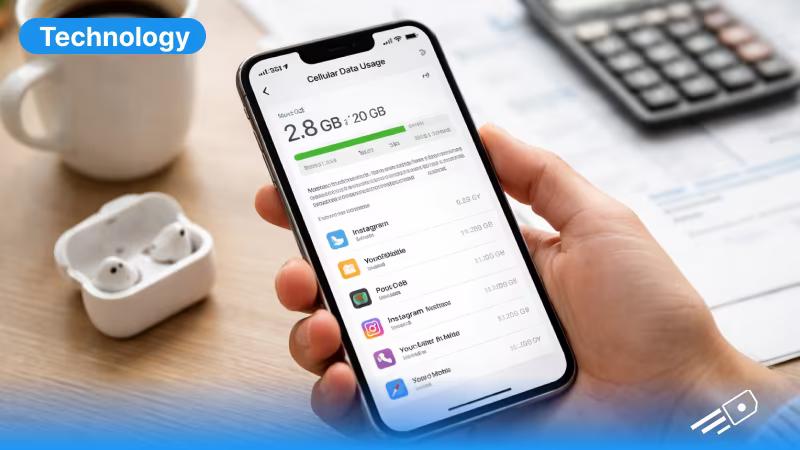
How to Check Data Usage on iPhone
The easiest way to check data usage on an iPhone is through the settings. Follow these steps to check:- Open Settings
- Tap Cellular or Mobile Data
- Then scroll down and click “See All”
- Current Period - the total mobile data used
- App-by-app breakdown - which apps are consuming data
Reset Your Data Statistics
Wondering “how to check my data usage accurately”? The current period will only show the data usage from when you first reset it. iPhone does not automatically reset data usage each billing cycle, so you have to reset it manually if you want accurate statistics. To track it properly, follow these steps:- Go to Settings → Cellular
- Scroll down
- Tap Reset Statistics
How to Reduce Data Usage on an iPhone
If you notice your data usage is increasing quickly all of a sudden, try to make these small adjustments.- Disable Background App Refresh
- Turn Off Wi-Fi Assist
- Limit Streaming Quality
- Buy eSIM Data Plans
How to Check Hotspot Data Usage on an iPhone
Your hotspot iPhone feature allows you to share internet with other devices within seconds. But this means your total data usage will increase by a large margin. To enable hotspot:- Open Settings
- Tap Personal Hotspot
- Turn on Allow Others to Join
How to Check Wi-Fi Data Usage on an iPhone
Apple does not directly display WiFi data usage the same way it shows cellular data. However, you can still monitor activity by:- checking router statistics
- reviewing app activity
- using third-party monitoring apps
How to Transfer Data from iPhone to iPhone
Planning on sharing data between your iPhone and other devices? You can set up iPhone hotspot and transfer internet data easily. Here’s how:- Go to settings and click on “Personal Hotspot”
- Enable Personal Hotspot
- Let the other device connect via Wi-Fi
- Enter the hotspot password
- travelling with friends
- connecting another device without Wi-Fi
- sharing internet temporarily
How to Fix Data Usage Problems on an iPhone
Sometimes your iPhone may consume data without you knowing and unnecessarily. If you think that’s happening, try these solutions:- Reset Network Settings
- Check Data Roaming
- Update Your iPhone
Managing Data with eSIM for iPhone
Many users are now switching to eSIM instead of traditional SIM cards as they’re usually hassle-free and you can install multiple profiles. An eSIM allows you to:- activate mobile data digitally
- switch plans easily
- manage connectivity while travelling